I've built rigs since the original Xbox was new hardware, and for most of that stretch — long before anything like the NZXT H1 V2 existed — "small form factor" meant compromise: a case you fought with for three hours to get a GPU riser to sit flat, paired with a CPU cooler that sounded like a hair dryer under load. Dorm rooms and studio apartments don't have room for that kind of project. They have room for one desk, one outlet strip, and roommates who will absolutely complain about fan noise at 1am.
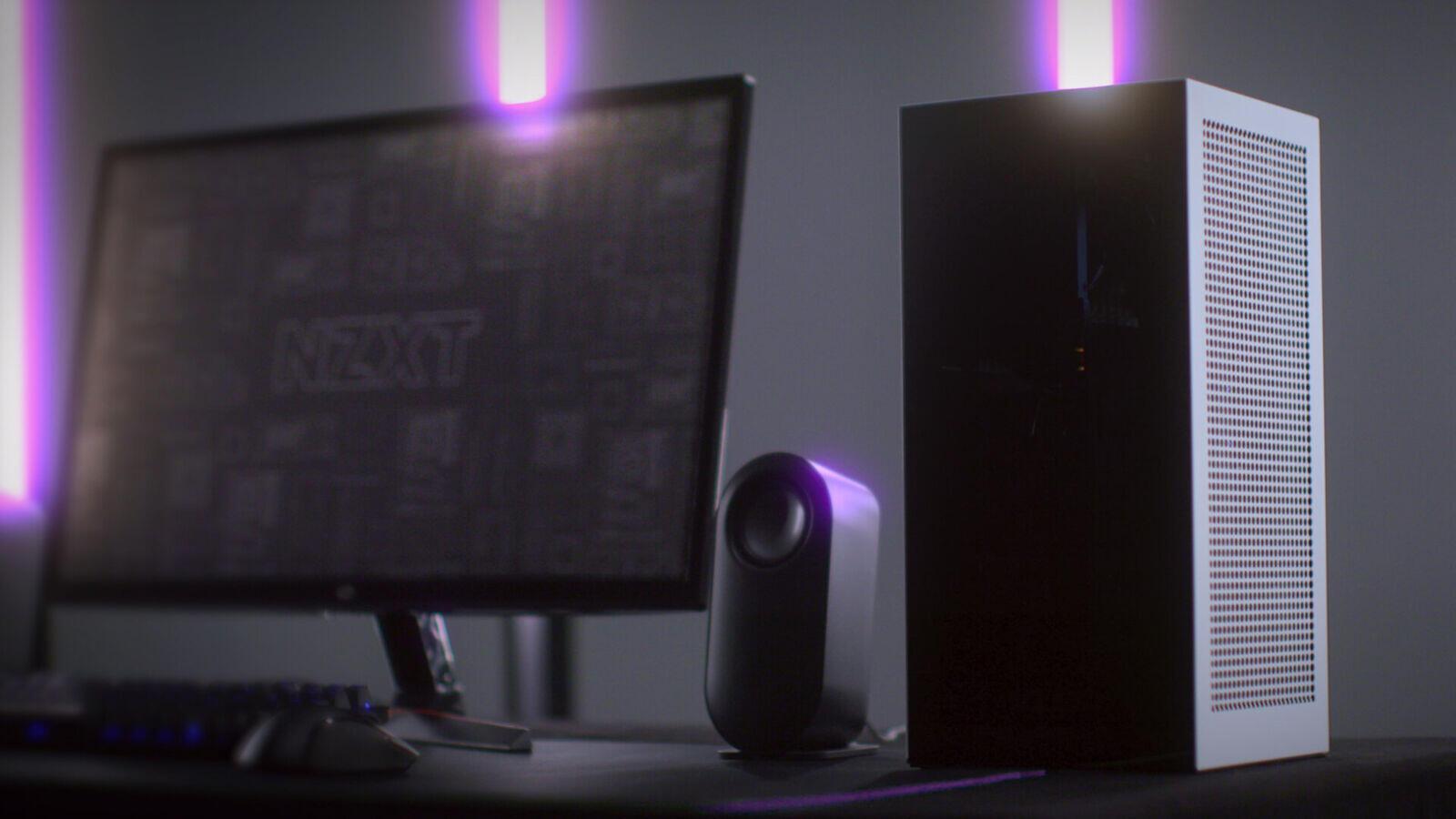
The NZXT H1 V2 exists for exactly that scenario. It's not the cheapest way into small form factor — at $399.99 it costs more than some complete budget GPUs — but it's the one SFF case I'd actually hand to someone who's never built a PC before, because NZXT throws in the three parts that usually turn an ITX build into a headache: a 750W SFX 80+ Gold power supply, a 140mm AIO liquid cooler, and a PCIe Gen4 riser cable, all pre-mounted. You're not shopping for those separately, and you're not guessing whether they'll fit. That's the pitch, and it holds up.
Why the NZXT H1 V2 specifically
The dual-chamber layout is the whole reason this case works in a cramped room. The motherboard tray and GPU sit vertically on one side behind tempered glass, the PSU and cable mess live in a sealed compartment on the other side you never have to look at. Two separate air paths means the GPU isn't recirculating hot exhaust from the CPU cooler, which matters a lot when the case itself is only 405 x 196 x 196mm and sitting a foot from your monitor. It also just looks clean on a desk that's doing double duty as a workspace — no rainbow interior, no spaghetti of cables visible through the glass.
The catch: GPU clearance tops out at 324 x 58mm. That rules out the chunkiest triple-slot flagship cards. It does not rule out the compact ITX cards this build actually wants.
The parts list
- Case: NZXT H1 V2 — $399.99. Includes the SFX PSU, AIO, and riser, so treat this line item as "case + PSU + cooler" bundled, not just a case.
- CPU: AMD Ryzen 5 9600X — ~$230. A 65W part on Zen 5, which matters more than the spec sheet suggests — the H1's single 140mm AIO is good, not miraculous, and a 65W chip keeps fan curves quiet under a desk instead of ramping every time you alt-tab into a game.
- Motherboard: ASRock B650E PG-ITX/WiFi — ~$260. One of the few AM5 ITX boards with a sane VRM for this power envelope, plus onboard Wi-Fi 6E so you're not fishing an ethernet cable across a dorm room.
- GPU: ASUS Prime GeForce RTX 5070 (compact ITX) — ~$600. Fits the H1's clearance, handles 1440p high-refresh without drama, and DLSS 4 buys real headroom in anything demanding. This is the part worth spending on; everything else in this build is in service of feeding this card clean air and enough power.
- RAM: G.Skill Flare X5 32GB (2x16GB) DDR5-6000 CL30 — ~$110. 32GB because Windows plus a browser with forty tabs plus a game is the actual dorm-room use case, not a clean benchmark run.
- Storage: WD Black SN850X 2TB NVMe — ~$390. That's a rough number to swallow for a drive that was $150 a year ago, but a NAND shortage has pushed SSD prices up across the board through 2026, this one included — it's not a pricing mistake, it's the market right now. One M.2 slot on most ITX boards is normal, so buy the capacity you need up front — there's no easy second drive bay to fall back on later.
Total: roughly $1,990 before tax, assuming you're reusing a Windows license or buying an OEM key separately.
Build and thermal notes
The H1 V2's vertical layout means gravity is doing you a favor on GPU sag — there's no card drooping over time because it's not lying flat on a horizontal PCIe slot. What it does demand is patience with the riser cable: seat it fully, check both ends before you close the glass, and don't force the GPU bracket if it's not lining up — that's usually a sign the riser isn't fully home.
Airflow around the case matters more than airflow inside it at this size. Don't push the H1 flush against a wall or tuck it into a closed desk cubby — leave a few inches on the intake side or you're just feeding it room-temperature air that's already warmed up from being trapped. On a dorm desk, treat it like you'd treat a laptop vent: don't block it, don't drape a jacket over it, don't set it on carpet.
Cable management inside the H1 is mostly solved for you since the PSU compartment is sealed off — your job is really just routing the front-panel USB and the AIO pump cable without them crossing in front of the GPU's air path. Fifteen minutes, not three hours.
Budget alternative
If $1,750 is a stretch, the move isn't to abandon the H1 — it's to drop the GPU tier. Swap the RTX 5070 for an ASUS Dual RTX 5060 Ti 16GB ($430) and the Ryzen 5 9600X for a Ryzen 5 7600 ($180, still AM5, still upgradeable later), and you land closer to $1,690 with 1440p performance that's still genuinely good, just not chasing max settings in the newest releases. What you're trading off is headroom for the next two or three years of game releases, not this year's performance.
If the H1's $399 price tag itself is the blocker, a Fractal Terra or Cooler Master NR200P gets you a similar footprint for $100-130 less — but you're then buying an SFX PSU and a cooler separately, and that's where the H1's bundled pricing actually starts looking generous rather than expensive.
Realistic total spend for the build as specced: around $1,990, dorm desk included in what you already own.