For most of gaming's history, "console setup" meant a TV and a couch. That's changing. Plenty of console players now want a desk: sharper image, lower latency, and no living-room negotiations.
The catch? Most desk monitors quietly cripple a PS5 Pro.
The console outputs up to 4K at 120Hz with VRR, but only over HDMI. There is no DisplayPort on a PS5. So the monitor lives or dies on one spec: a true HDMI 2.1 port rated at 48 Gbps. Some monitors advertise "HDMI 2.1" on a 24 Gbps port, which can't carry 4K/120 properly. Check the spec sheet, not the box. Pricing below is US, early October 2026, and street prices move, so confirm before you click buy.
The PS5 Pro desk setup parts list
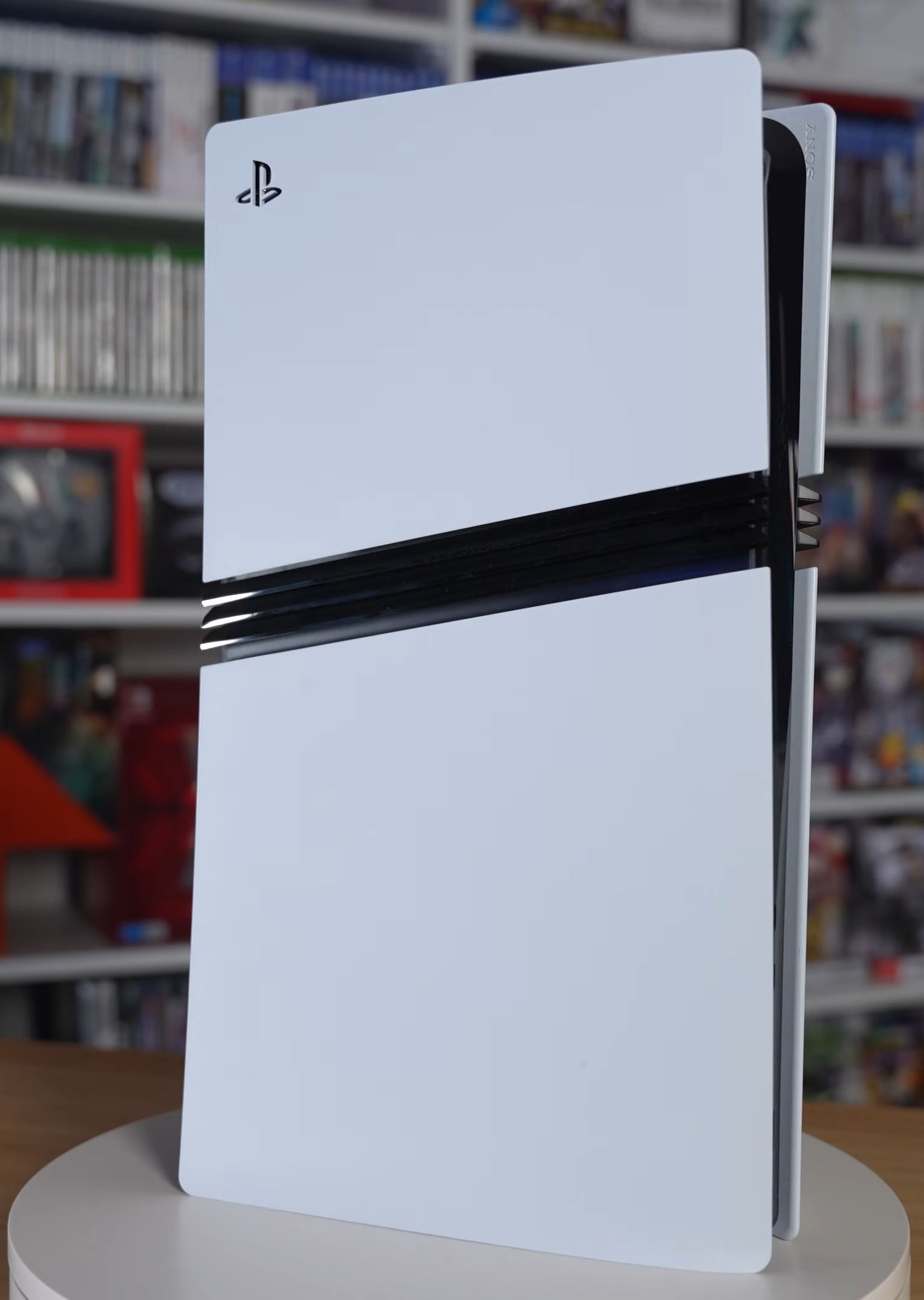
Console: PS5 Pro, $899.99. Sony raised US pricing in April 2026 (the Pro went from $749.99 to $899.99, per the PlayStation Blog). It's a lot. It's also the only PS5 that makes a 4K/120 monitor worth owning, thanks to PSSR upscaling.
Monitor: Gigabyte M32UC, around $530 (list near $630; check current price). A 32-inch 4K VA panel at 144Hz with HDMI 2.1. TechRadar rates it as strong value for PS5 owners, and a past Best Buy deal put it at $529.99, so that sale price may no longer be live. The PS5 caps at 120Hz, so the extra 24Hz is headroom, not a feature you'll feel. At 32 inches on a desk, sit about arm's length away or it gets overwhelming.
Smaller-desk alternative: LG UltraGear 27GR93U. A 27-inch 4K IPS at 144Hz with two HDMI 2.1 ports. I couldn't confirm a current US price, so compare retailers. Choose 27 inches if your desk is under 30 inches deep.
Skip: 240Hz OLEDs. The PS5 can't use them. Even good ones can bite you: our ROG Swift OLED PG27AQDM review flags dated HDMI ports on an otherwise excellent panel. Great for PC, wrong for a console.
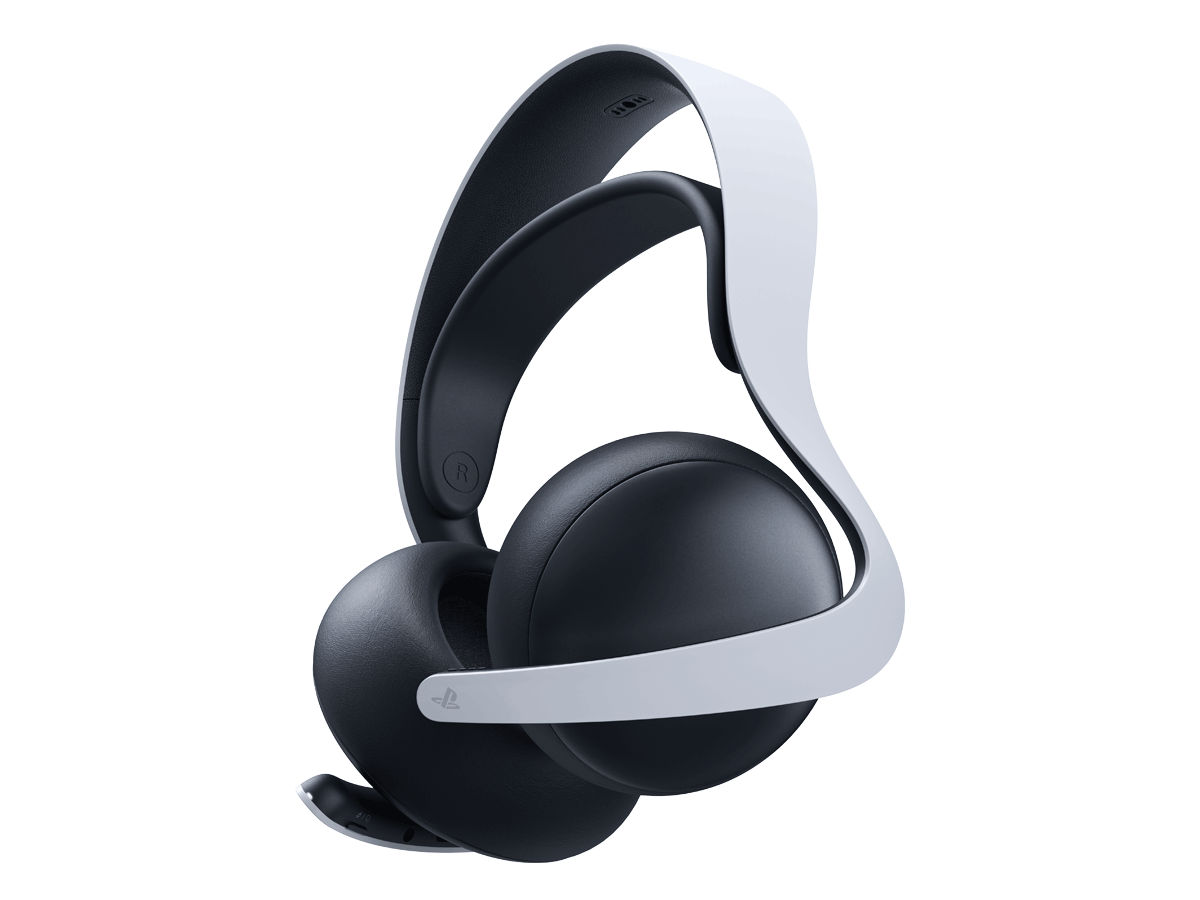
Headset: PlayStation PULSE Elite, $149.99. It pairs over PlayStation Link, which means low-latency wireless with no dongle hogging a USB port, and it works with Tempest 3D Audio. The best US price I've seen is around $130, at Walmart and Amazon during Black Friday 2025, so don't count on a discount outside the holiday window.
Controller: the DualSense in the box, then decide. Sit-down play makes the stock pad perfectly fine. A standalone DualSense runs around $75 (third-party tracker, so verify). If you want back paddles and swappable sticks, the DualSense Edge lists at $199.99, and I tracked its pricing in our DualSense Edge price check. Spoiler: no discount yet.
Monitor arm: single gas-spring arm, approximately $100. Frees 6-8 inches of desk depth and lets you set the top edge of the screen at eye level. This is a rough budget estimate, not a specific model quote. Make sure it's rated for a 32-inch panel's weight and VESA 100x100.
Cable: certified Ultra High Speed HDMI 2.1, approximately $15-25 (estimate, not a specific product quote). Use the short one that fits your layout. The cable that shipped with a random old Blu-ray player is the usual culprit when 4K/120 mysteriously won't enable.
Cable management: under-desk tray, velcro ties, a 6-outlet surge strip, approximately $35 for the lot (estimate). Not glamorous. It's what separates a setup from a pile.
Setting it up right
- Place the console first. Keep it on the desk's side or on a shelf with at least 4 inches of clearance. The Pro vents hard, and a closed cabinet is how you get fan noise.
- Run power and HDMI together, in one bundle. Route them down the same leg to the tray. Leave a loop of slack at each end so you can pull the console out without unplugging anything.
- Turn on the right settings. In PS5 Settings, check Screen and Video > Video Output and confirm 4K, 120Hz and VRR are set to Automatic. On the monitor, enable HDMI 2.1 or "Ultra High Speed" mode in the OSD and turn on FreeSync/VRR. Many panels ship with it off.
- Set HDR once. Run the PS5 HDR calibration screens. A mid-range VA panel will not hit OLED contrast, so don't chase brightness. Use HDR on in games that support it.
- Pair the headset. Plug the PULSE Elite's PlayStation Link connection into the console, then tune Tempest 3D audio under Sound settings.
- Chair and height. Eyes should land on the top third of the screen, elbows around 90 degrees. Controller use means your forearms are in front of you, so a desk with a clear front edge matters more than an RGB strip.
Cheaper tiers, and what you lose
Budget tier (approximately $420 over the console, an estimate). Pick a 27-inch 4K/120 HDMI 2.1 monitor in the $300-ish range, a $50-80 wired or Bluetooth-friendly headset, the same cable and cable-management basics, and skip the monitor arm. You trade away PlayStation Link low latency, 3D audio tuning and desk space. The image will still be miles ahead of a 1080p panel.
Step-up tier. Add the DualSense Edge if you play competitive shooters (our DualSense Edge review has the full verdict). You trade its $199.99 list price for paddles and stick tuning, not extra frames.
The total
Core build, console included: $899.99 + around $530 monitor + $149.99 headset + approximately $100 arm + approximately $20 cable + approximately $35 cable management comes to roughly $1,735. Peripherals alone are around $835. Pick the budget tier and you land near $1,320 all-in. Treat every total here as approximate, since several line items are estimates.
Expensive, yes. But a PS5 Pro on a proper 4K/120 desk setup looks and feels like a different console.