I've built rigs since the original Xbox was new hardware, and for most of that time "gear" meant a GPU and a decent monitor. Nobody asked me about lighting. Now half the builds I spec are streaming setups for people whose PC is already fine — what's missing is everything around it. A stream that sounds like a phone call and looks like a basement doesn't get watched past the first ten seconds, no matter how good the gameplay is.
The good news: you don't need a studio. You need four things done right — image, audio, light, and a fast way to control OBS without alt-tabbing mid-clutch. Here's what I'd actually buy, priced as of this fall, with a real budget tier at the end.
The core four — what a streaming setup actually needs
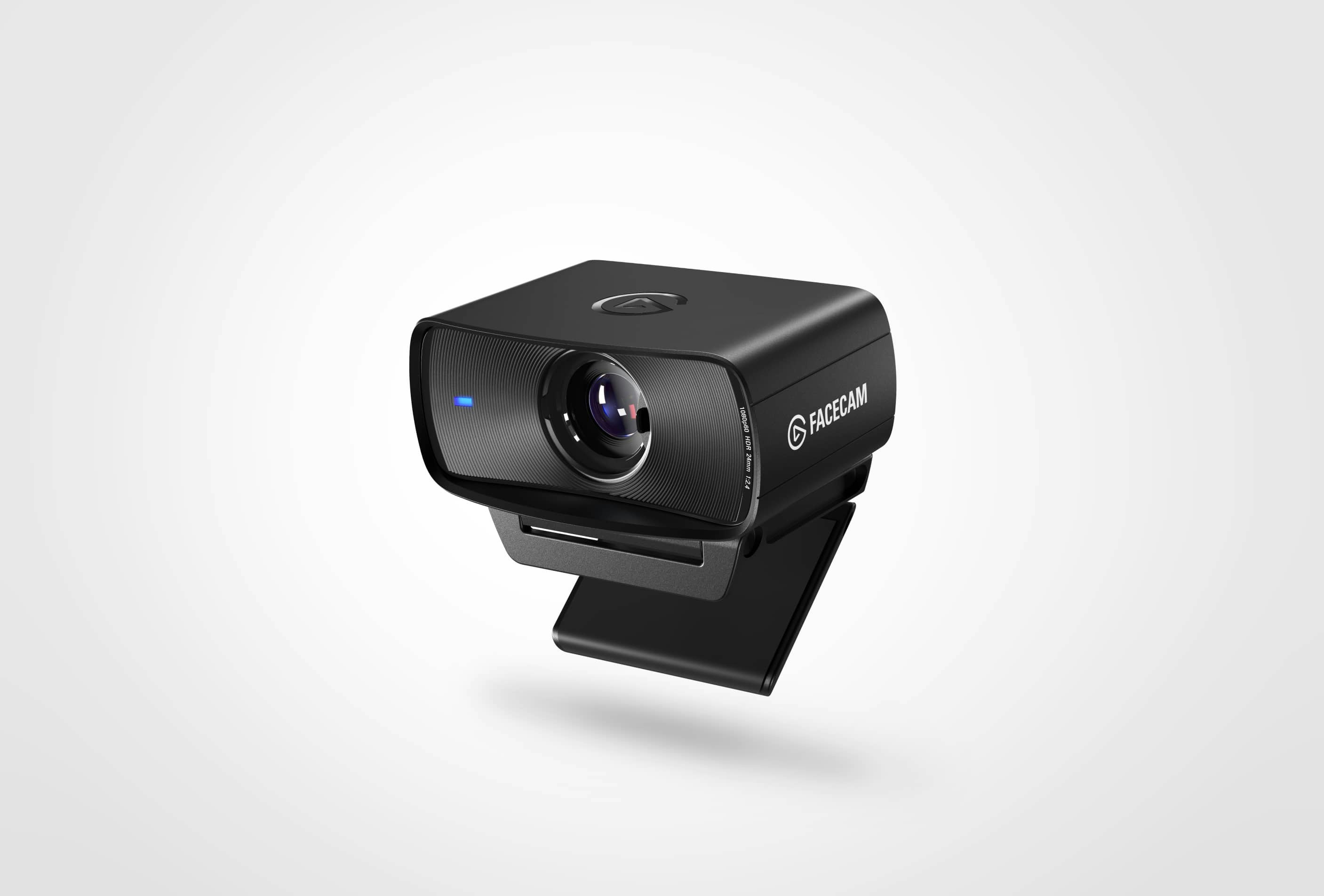
Camera: Elgato Facecam MK.2 — ~$150, sometimes $110-130 on sale Skip the built-in laptop cam and skip the "ring light webcam" bundles — they're the first thing a viewer's eye clocks as cheap. The Facecam MK.2 shoots uncompressed 1080p60 with a proper 1/2.5" sensor, a fixed-focus lens so it doesn't hunt for focus every time you lean forward, and no auto-exposure flicker fighting your lighting. It's built for streaming specifically, not video calls, which shows the second you're under a key light instead of office fluorescents.
Microphone: Shure MV7+ — ~$260-280 This is the single biggest upgrade most new streamers skip, and it's the one viewers notice fastest — bad audio drives people off a stream faster than a bad picture does. The MV7+ does USB and XLR both, so it works plug-and-play now and scales up to a full mixer later without buying a second mic. Auto gain and built-in noise reduction mean you're not fighting reflections off a bare wall every session. If you only upgrade one thing this month, make it this.
Lighting: Elgato Key Light Air MK.2 — ~$120-140 A window and a desk lamp get you 80% of the way there, but they're inconsistent — cloud cover changes your whole stream's mood. The Key Light Air is a 15-inch panel on a clamp arm, touch-controlled for brightness and color temp, and it integrates with Stream Deck so you can fade it in on a scene change instead of fumbling a physical dial on camera. One panel, angled 45 degrees off-axis, does more for how you look than any camera upgrade.
Stream control: Elgato Stream Deck MK.2 — ~$130-150 This is the part people underrate until they're three weeks into streaming and still tabbing out to click "Start Recording" while chat watches. Fifteen LCD keys mean one press swaps scenes, mutes the mic, throws up a "brb" overlay, or fires an alert sound — no keyboard shortcuts to memorize, no fumbling. It's the difference between looking like you're running a show and looking like you're improvising one.
Assembly and desk notes
This is just the streaming layer — if you still need the desk, monitor arm, and chair underneath it, that's a separate build (see my hybrid office/gaming battlestation guide).
Mount the Facecam MK.2 on top of your main monitor at eye level, not tilted down — a downward camera angle is the fastest way to look disengaged on stream. Set the Key Light Air off to one side, roughly 45 degrees from your face, angled slightly down; a light pointed straight at you flattens everything and kills the sense of depth.
The MV7+ wants a boom arm, not the bundled desktop stand — keep the capsule about a fist's distance from your mouth, slightly off-axis to cut plosives. If your desk already has a monitor arm eating clamp space, budget for a separate mic boom rather than fighting for the same rail.
Run the Stream Deck's USB-C cable along the same channel as your mouse and keyboard cables so it doesn't become the one loose wire that snags every time you reach for a drink — I've rebuilt enough desks to know that's always the cable that gets yanked mid-stream.
For software, OBS Studio is free and does everything here natively, including Stream Deck plugin support and Elgato's Camera Hub for exposure/white balance control on the Facecam. No reason to pay for a switcher at this scale.
Budget tier — what I'd trade off at $250
If $650+ isn't happening yet, here's the tier that still looks intentional:
- Mic: HyperX SoloCast ($40) instead of the MV7+. You lose the XLR upgrade path and the auto gain, but it's a clean, plug-and-play condenser that beats any mic built into a webcam or headset by a mile.
- Camera: Logitech C920s ($60-70) instead of the Facecam MK.2. Older sensor, softer image, and it'll hunt focus a little — but at 1080p30 it's genuinely fine once lit well, and good lighting hides more camera weakness than people expect.
- Lighting: a single clamp-on softbox LED panel ($30-40) instead of the Key Light Air. You lose app/Stream Deck control and have to reach over to adjust it by hand, but the light quality on camera is nearly identical.
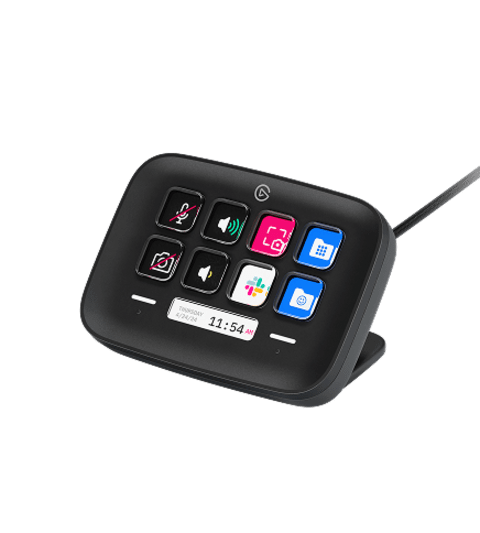
- Stream control: Stream Deck Neo ($99.99 MSRP, often $80-90 on sale) instead of the MK.2 — 8 keys plus a small info display instead of 15 keys, which is tight if you run a lot of overlays but plenty for scene swap, mute, and one alert.
That's roughly $230-240 and it's not a downgrade in competence, just in convenience — the stream still looks and sounds like someone's actually running it.
Total realistic spend
Full recommended kit — Facecam MK.2, Shure MV7+, Key Light Air MK.2, Stream Deck MK.2 — lands around $650-700 at MSRP, and closer to $550-600 if you catch any of these on a seasonal sale, which Elgato runs often. The budget tier above gets you a legitimately watchable stream for under $250. Either way, that's a one-time spend that outlasts two or three PC upgrades — buy once, and spend your next budget cycle on the GPU instead.